
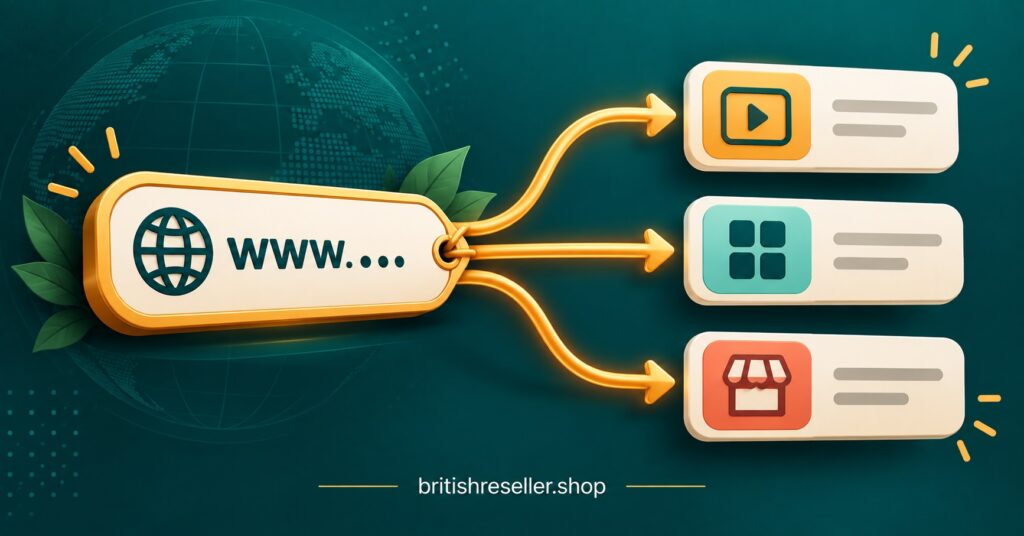
An IPTV Reseller Custom Domain is your own web address, such as tv.yourbrand.co.uk, pointed at your provider’s servers so customers see your brand on the login page and in the server URL they enter into their player app. It only works if the provider supports it on their side. You add a DNS record, they map your hostname to their system and issue a security certificate for it, and from then on your customers never need to see the supplier’s address.
Before you touch a single DNS setting, settle who owns the domain. Register it in your own registrar account, paid for with your own card, and give the provider a DNS record rather than the domain itself. A reseller whose domain sits inside a supplier’s account has branded somebody else’s asset, and every customer device ends up tied to an address the IPTV panel reseller cannot move.
Two Addresses Your Customers Might See, and Why They Are Not the Same
Most confusion around custom domains comes from people treating “the domain” as one thing. In a typical reseller setup there are up to three separate addresses, and a provider may support branding on one, two or all of them.
The first is the server or portal URL. This is what a subscriber types into a player app or set-top box portal field alongside their username and password. It is the address customers interact with most, and the one that causes the most work if it ever changes.
The second is the reseller dashboard login. This is where you, and any sub-resellers under you, create lines, extend subscriptions and spend credits. Customers never see it, so branding it matters mainly if you run a team or sell sub-reseller access and want the whole operation to sit under your name.
The third is your storefront website, the site where people read about your service and contact you. This one is entirely yours already. It is hosted wherever you choose and has nothing to do with the provider’s infrastructure.
When a supplier advertises “custom domain support”, ask exactly which of the first two they mean. Some only brand the panel login. Some only offer a branded server URL. A few do both, and the answer changes how useful the feature really is to you.
Should You Brand the Domain Before You Have Customers?
Yes, and the reason is practical rather than cosmetic. Every subscriber device is configured with whatever server URL you hand out on day one. If you start with the provider’s default address and switch to your own later, each customer needs to update their app settings, which means messages, support time and a few people who never get round to it.
Setting the domain up first avoids that entirely. It also gives you a degree of independence. If the provider changes their backend hostname, a correctly configured record on your side keeps customers pointed at the right place. If you ever change supplier, you can repoint your domain and keep the same address, although customers will usually still need new login credentials from the new system. It reduces the disruption; it does not remove it.
What a custom domain will not do is improve stream quality, reduce buffering or change anything about the content itself. It is a branding and control layer on top of the provider’s infrastructure, and it should be judged on those terms.
Setting Up an IPTV Reseller Custom Domain Step by Step
The exact screens differ between registrars and providers, but the sequence below holds for almost every setup.
Pick a subdomain rather than the bare domain
Use something like tv.yourbrand.co.uk or live.yourbrand.com rather than yourbrand.co.uk on its own. Standard DNS rules do not allow a CNAME record at the root of a domain, so a subdomain gives you the most flexible record type. It also keeps your root domain free for your storefront website. Keep it short and easy to read out over the phone, because customers will type it on a TV remote.
Register it in your own name and switch on renewal protection
Use your own registrar account, enable auto-renew, and turn on registrar lock so the domain cannot be transferred away without your approval. An expired domain takes every customer offline at once, and there is no provider-side fix for that.
Pro tip: Put the renewal date in the same calendar you use for credit top-ups. A domain lapse and an empty credit balance cause exactly the same customer complaint, and both are completely avoidable.
Ask the provider for the exact record, then add it
The provider should tell you the record type and target, for example a CNAME pointing to one of their hostnames, or an A record pointing to an IP address. Add it in your DNS settings exactly as supplied. Then tell the provider which hostname you used, because they have to add it on their side before requests to your domain will be accepted.
Pro tip: Lower the record’s TTL to a short value, such as 300 seconds, a day before you make changes. Mistakes then clear from caches quickly instead of lingering for hours.
Confirm the certificate covers your exact hostname
Open the panel or portal address in a browser using https and check the padlock. The certificate should name your subdomain specifically. If the browser warns about a mismatch, the provider has not yet issued a certificate for your hostname.
Test with a trial line before announcing anything
Create a trial line, enter your new server URL in at least two different player apps on two different devices, and confirm login and playback. Only then start handing the address to paying customers. Keep the provider’s default URL working in parallel until you are confident.
CNAME, A Record or Something Else?
The provider normally decides which record you use, but it helps to know what each one means for you later.
| Record type | Best suited to | What to watch |
|---|---|---|
| CNAME | Subdomains pointing at a provider hostname | Cannot sit on the root domain under standard DNS rules |
| A record | Providers that give you a fixed IP address | Breaks silently if the provider changes that IP without telling you |
| ALIAS or flattened CNAME | Root domains on DNS hosts that offer it | Not every DNS host supports it, and behaviour varies between them |
A CNAME is usually the lowest-maintenance choice, since the provider can move their infrastructure and your record keeps following it. An A record ties you to one address, so ask how you will be notified if it changes.
Certificate Rules Changed in 2026, and Resellers Feel It
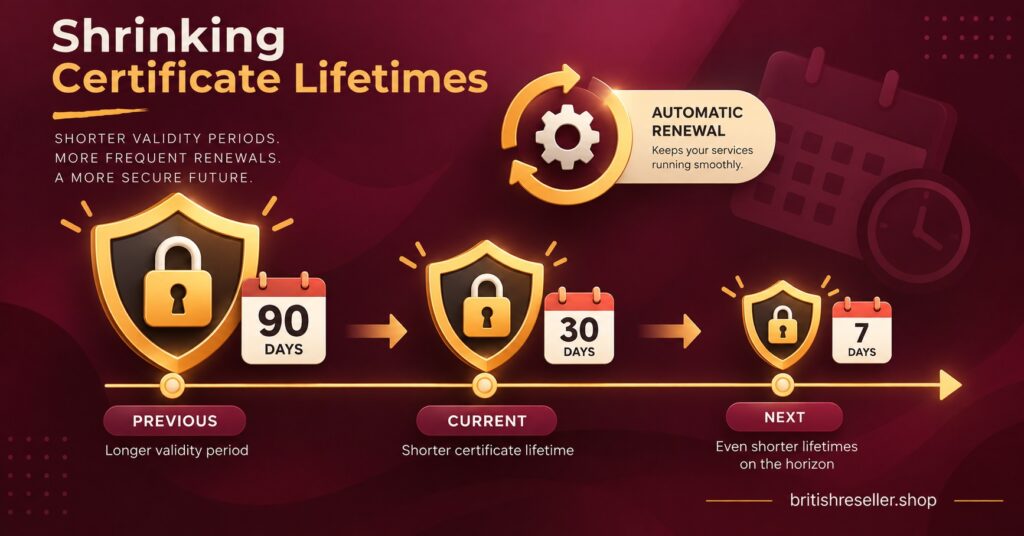
Security certificates now expire much faster than they used to. Under new CA/Browser Forum requirements that took effect on 15 March 2026, publicly trusted certificates issued from that date are limited to a maximum of 200 days. The schedule tightens further, with the cap dropping to 100 days in March 2027 and 47 days in March 2029.
For a IPTV reseller, the practical lesson is simple: manual certificate renewal is no longer realistic. If your branded panel or portal relies on someone remembering to reissue a certificate, it will eventually expire, browsers will show a security warning and customers will assume something is wrong with the service.
Ask the provider directly whether certificates for custom domains are issued and renewed automatically. Free automated certificates already run on short lifetimes, so providers using them are generally well placed. A provider who asks you to upload your own certificate files is handing you a recurring job that gets more frequent every year.
Where Custom Domains Go Wrong After Launch
Getting the record live is the easy part. Most problems show up weeks or months later.
Proxy settings on your DNS host. Some DNS services offer a proxy or CDN mode that routes traffic through their network. Many of these services restrict video streaming on standard plans in their terms, and proxying can also interfere with how player apps connect. Unless your provider specifically tells you otherwise, leave the record in DNS-only mode.
Brand names inside the domain. Choose a domain built around your own business name. Domains that include the names of broadcasters, streaming platforms or other third-party brands invite trademark complaints, and registrars can suspend a domain following a complaint, taking every customer offline with it.
Sub-resellers on your domain. If you sell sub-reseller access, decide early whether they use your branded address or bring their own. Sharing yours keeps things simple but means their customers depend on your domain staying active. If a sub-reseller leaves, their customers are still pointing at your address.
Treating the domain as proof of anything. A clean branded URL makes a service look established, but it says nothing about whether the content on the other end is properly authorised. IPTV is a delivery technology. Whether a service is lawful depends on content rights and local requirements, and a custom domain changes neither. As the reseller, you remain responsible for what you sell under your name.
Questions to Ask a Provider Before You Commit
A short conversation with the supplier saves a lot of guesswork. Ask whether branding applies to the server URL, the panel login or both. Ask which record type they require and how they will notify you if their target changes. Ask whether certificates are automated. Ask how many custom domains your account can hold and whether sub-resellers can add their own. And ask what happens to your domain configuration if you pause or stop buying credits.
Clear, specific answers are a good sign. Vague replies such as “it all works automatically” without detail usually mean the feature is less complete than the sales page suggests. If you are weighing up reseller panel options for a UK IPTV reseller business, the British reseller panel and credit options are a reasonable starting point for putting these questions to a supplier directly.
Common Questions About Branded Reseller Domains
Do customers need to do anything different when I use my own domain?
No. They enter your domain as the server or portal URL instead of the provider’s address, along with the username and password you give them. The login process inside the app is the same.
Can I use the same domain for my website and my server URL?
You can use the same registered domain, but not the same hostname. Keep the root domain or a www address for your website and use a separate subdomain for the server URL, because the two point at completely different infrastructure.
How long does a new DNS record take to work?
It depends on the record’s TTL and on how long other networks have cached older information. A brand-new subdomain often resolves quickly, while changes to an existing record can take longer to reach everyone. Test from more than one network before assuming it has fully updated.
What happens to my customers if I stop using the provider?
Their credentials belong to the provider’s system, so they will need new logins from whichever supplier you move to. Because the domain is yours, you can repoint it and keep the same server URL, which saves customers from changing that part of their setup.
Getting the Domain Right Once
An IPTV Reseller Panel Custom Domain is worth setting up early, owning outright and configuring carefully, because every customer device inherits the choices you make on day one. Register the domain yourself, use a subdomain, add the exact record your provider specifies, and confirm certificates renew automatically now that lifetimes are shrinking. Remember its limits too: it gives you brand control and a little independence from your supplier, but it does not improve streams or make any service more legitimate than the rights behind its content. Your next step is to ask your current or prospective provider which addresses they can brand, then test one trial line on your own domain before rolling it out.
Domain Handover Checklist
- Domain registered in your own registrar account with auto-renew and transfer lock enabled
- Subdomain chosen that is short, typeable on a remote and free of third-party brand names
- Provider has confirmed which addresses they can brand: server URL, panel login or both
- DNS record added exactly as supplied, with proxy mode switched off
- Provider has added your hostname on their side and issued a certificate for it
- Certificate renewal confirmed as automatic, not manual
- Trial line tested in at least two player apps on two different devices
- Default provider URL kept working until the new address is confirmed stable
- Sub-reseller domain policy decided before selling sub-reseller access