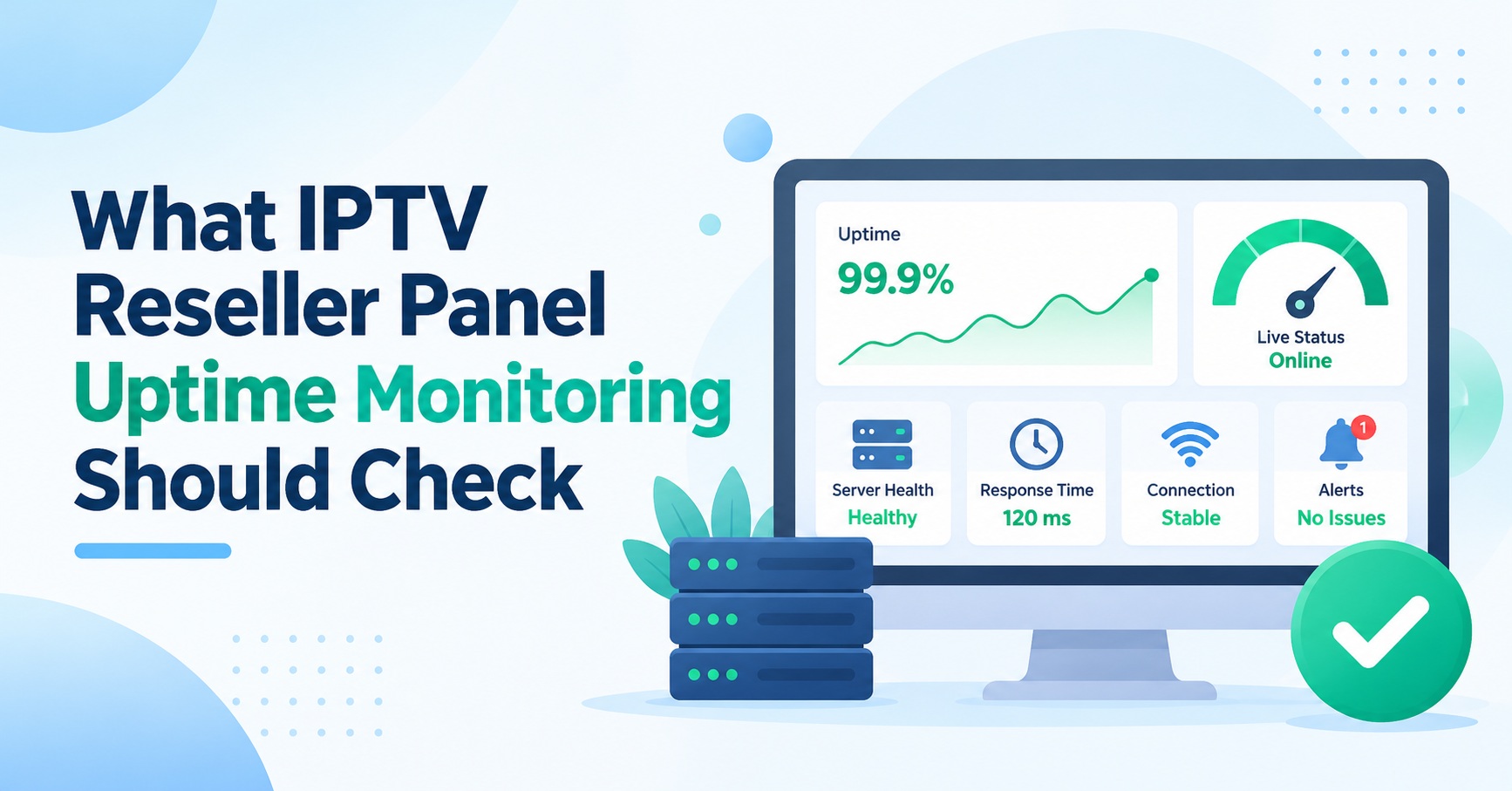

IPTV Reseller Panel Uptime Monitoring means checking your reseller dashboard from outside your own network at fixed intervals, confirming that it does more than simply load, and keeping a timestamped record of every failure. A useful setup tests three things: the login page responds over a valid HTTPS connection, a sign-in actually succeeds, and the panel can read or change a customer line. Uptime is then calculated from that incident record over a fixed period, using a definition you write down before the month starts, not after it ends.
That last point catches out more resellers than any choice of tool. A monitor that only requests the homepage can report a flawless month while renewals were failing for an hour and a half, because the page itself never went offline. It also says nothing about whether customers can watch anything. The panel and the streaming servers are separate systems, often on different infrastructure, and a healthy dashboard is no proof that playback is healthy.
Four Places a Reseller Panel Can Fail
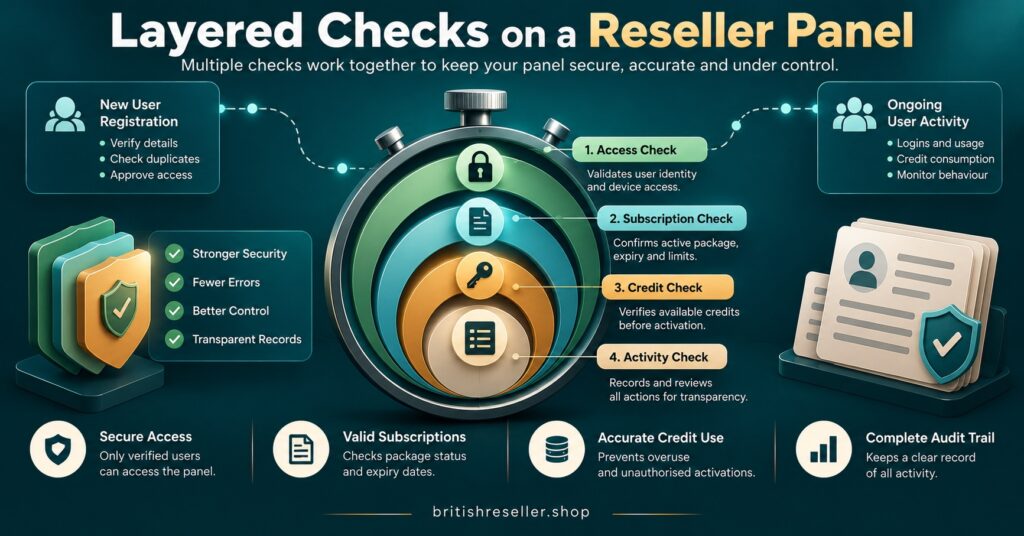
Before choosing an interval or an alert channel, decide which layer of the panel you are actually testing. Each layer can fail independently, and a check at one level tells you very little about the others.
| Check layer | What a pass proves | What it cannot see |
|---|---|---|
| DNS and certificate | The panel address resolves and its HTTPS certificate is valid and not near expiry | Anything behind the login page |
| Login page response | The server returns the page with the expected status and expected text | Whether a sign-in works |
| Authenticated sign-in | Credentials are accepted and the dashboard loads | Whether renewals or line edits complete |
| Account action or read | The panel can return a test line or a credit balance | Stream delivery to customer players |
The second row hides a common trap. Many web servers return a normal “200 OK” status even when the page they serve is an error message, a maintenance notice or a blank template. A check that only looks at the status code will mark that as success. Configure it to look for a specific word or phrase that only appears on a working login page, such as the label on the sign-in button, so a broken page fails the check.
The fourth row is where the commercial risk sits. Customers rarely notice a dashboard outage directly. They notice that their renewal did not go through, or that you could not reset their password when they asked. If your monitoring stops at the login page, those failures only reach you through support messages.
Building Checks That Behave Like a Reseller
Synthetic monitoring simply means a script or hosted service performs the same steps a person would, on a schedule, and records whether each step worked. For a reseller panel, that usually means one simple check against the login page and one scripted check that signs in and reads something.
Interval and locations
A one-minute interval gives you precise incident start and end times. Five minutes is acceptable for a smaller operation, but every incident will then be measured to within roughly five minutes, which matters once you start calculating percentages. Run checks from at least two locations, ideally in the regions where your customers live. A failure seen from one location only often points to a routing or local network problem rather than a panel outage.
A dedicated monitoring account
A scripted sign-in check needs credentials stored somewhere outside your control. Never use your main reseller login for this. If your panel supports sub-accounts with restricted permissions, create one with no credit balance and no ability to create or delete lines, and use it only for monitoring. The reasoning is the same as for any IPTV reseller panel security review: if those stored credentials leak, the damage should be close to nothing.
This also means the automated check should read, not write. Creating a real line every few minutes would consume credits and clutter the account. Where your panel offers trial lines that cost nothing, a manual creation test once a week tells you more than an automated one that spends money.
Confirmation before alerting
Alert on two consecutive failures, or on failures confirmed from two locations, rather than on a single missed check. Otherwise a brief network hiccup will wake you at 3am for nothing, and within a fortnight you will start ignoring the alerts. Send them to a phone and to a second person, so one missed notification does not leave an outage unnoticed until morning.
The Incident Log Is Your Real Uptime Record
A monitoring dashboard shows green and red bars. That is useful for a glance, but it is not a record you can reason with, argue from or publish. The record that matters is a plain incident log, kept in a spreadsheet or ticket system, with one row per incident. Each row should hold:
- The time of the first confirmed failed check, not the time you happened to notice
- The time of the first confirmed successful check afterwards
- Which layer failed: certificate, login page, sign-in or account action
- Whether the panel was fully unavailable or partly working
- Whether the work was planned, and when notice was given
- Evidence, such as a screenshot, error text or the monitor’s own export
- Any reference number from your supplier
The distinction between full and partial outages deserves care. If the login page worked but line creation returned errors for an hour, the panel was not “up” in any sense your customers would recognise. Record it, label it partial, and decide in advance how it counts.
Planned maintenance needs the same discipline. Some operators exclude announced work from uptime figures. That is a legitimate choice if it is stated openly, but it becomes misleading if the exclusion is decided afterwards, or if a “maintenance” window was announced ten minutes before it started.
Turning IPTV Reseller Panel Uptime Monitoring Into a Number You Can Defend
The usual time-based formula is straightforward: uptime equals the minutes in the period minus the minutes of downtime, divided by the minutes in the period. Google’s Site Reliability Engineering book sets out this time-based measure alongside an aggregate one that looks at the proportion of successful requests over a rolling window, and its availability table is a handy reference for what each percentage permits. At 99.9%, for example, the allowed unavailability works out at 43.2 minutes per month.
For a reseller, the time-based version is usually more practical, because your checks run at a constant rate regardless of how many customers are using the panel. The harder part is deciding which minutes count.
A worked example
Take a 30-day month, which contains 43,200 minutes. Checks run every 60 seconds from two locations. The incident log for the month shows:
- A 38-minute full outage where the login page returned errors from both locations.
- A 95-minute partial outage where sign-in worked but line creation and renewals failed.
- A 20-minute planned maintenance window, announced 48 hours in advance, during which the login page showed a maintenance notice.
- A 6-minute run of failures seen from one location only, with the other location passing throughout.
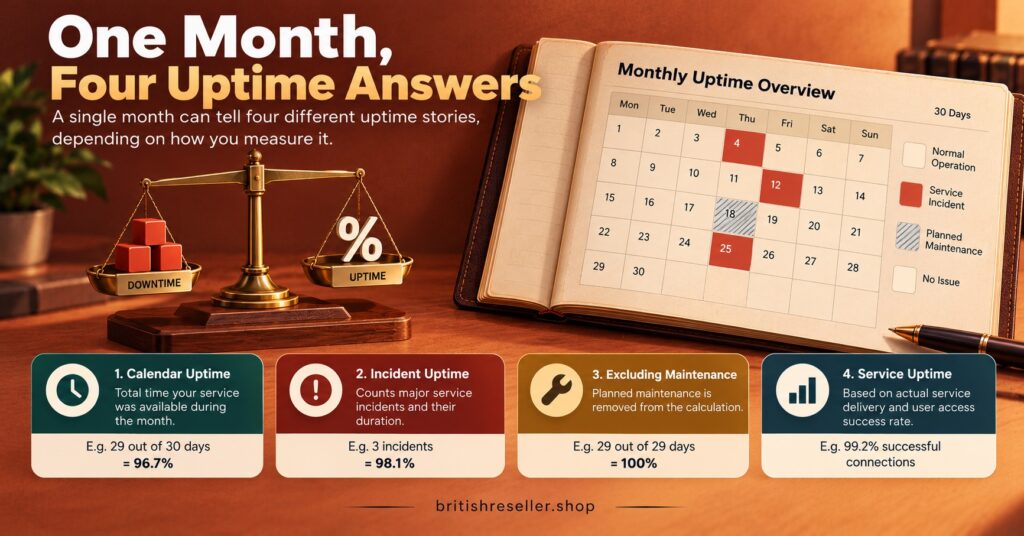
The fourth incident is excluded under the confirmation rule, because it was not seen from both locations. That leaves 153 minutes that could count, depending on the definition. Here is what the same month produces under four different, all defensible, definitions:
| Definition used | Downtime counted | Monthly uptime |
|---|---|---|
| Login page only, maintenance excluded | 38 minutes | 99.91% |
| Login page only, maintenance included | 58 minutes | 99.87% |
| All layers, maintenance excluded | 133 minutes | 99.69% |
| All layers, maintenance included | 153 minutes | 99.65% |
The arithmetic for the strictest row is (43,200 minus 153) divided by 43,200, which gives 0.99646, or 99.65% to two decimal places. The other rows follow the same method.
Read the table carefully. The same month, the same panel and the same incidents produce a figure that looks comfortably above 99.9% or noticeably below it, depending purely on what was measured. The 95-minute partial outage, the incident most likely to have generated customer complaints, is invisible to a login-only monitor.
Pro tip: Report two figures each month, login availability and action availability, rather than blending them into one. The gap between them tells you more about your supplier than either number alone.
If you prefer the aggregate method, divide successful checks by total checks. With two locations at one-minute intervals, that is 86,400 checks a month. The method is valid, but notice that it would count the six single-location failures unless your confirmation rule is applied to the raw data first. Whichever method you choose, apply it the same way every month so the figures can be compared.
What You Can Fairly Tell Customers
Once you have a measured figure, the temptation is to put it on your website. In the UK, that turns it into an advertising claim. The CAP Code requires that marketers hold documentary evidence before publishing claims that consumers are likely to regard as objective, and an uptime percentage is about as objective as a claim gets. The ASA’s guidance on substantiation explains the standard in more detail.
Contract law points the same way. Under the Consumer Rights Act 2015, every contract to supply a service is treated as including a term that the trader must use reasonable care and skill, and section 49 and the sections that follow it also deal with information given about a service becoming binding. A figure you advertised loosely can become a promise you are held to. This is general information rather than legal advice, and resellers outside the UK should check their own consumer and advertising rules.
In practice, that suggests a few habits. Publish only a figure you measured yourself, state the period and the definition beside it, and never round upwards. A monthly history on a page such as the one described in our guide to building an IPTV service status page is far more credible than a single number in a sales banner. When the log shows an incident in progress, the monitoring data also gives you accurate times for your customer messages, which is the foundation of good IPTV reseller outage communication.
Using the Log in Conversations With Your Supplier
Your incident log is also the most useful document you can bring to a supplier. Most panel providers describe their own availability in general terms, and few publish how they define it. Ask directly: which layers they measure, whether planned work is excluded, how much notice they commit to, and whether they keep a public status history. Compare their answers with what your own monitoring recorded.
If the figures differ, the conversation becomes factual rather than emotional. “Line creation failed for 95 minutes on the 14th, here is the export” gets a better response than “the panel keeps going down”. Over several months, the log also shows trends: whether incidents cluster around certain times, whether partial outages are becoming more frequent, and whether announced maintenance actually finishes on time. Those patterns belong in any periodic IPTV reseller supplier verification review.
One boundary is worth keeping clear. Monitoring proves that a dashboard was reachable. It says nothing about whether the supplier holds the rights to distribute what is sold through it. IPTV is a delivery technology, and lawful reselling depends on proper distribution rights, which uptime data cannot confirm.
Questions Resellers Ask About Panel Monitoring
Is a free uptime monitor good enough?
For the DNS, certificate and login page layers, often yes. Free tiers typically limit check frequency and rarely support scripted sign-in steps, so the action layer usually needs either a paid plan or a small self-hosted script. Check each tool’s current limits before relying on it, as plans change.
Should customer complaints count as downtime?
Not on their own. Complaints are a valuable signal and should be logged, but they arrive late, cluster around popular viewing times and often describe device or network problems. Use them to investigate, and count downtime only when your checks confirm it.
Does panel monitoring tell me if streams are working?
No. The panel manages accounts, while playback depends on separate delivery servers, the customer’s internet connection and their player app. Stream health needs its own checks, ideally by testing playback on a representative device at busy times.
How long should I keep the incident log?
Long enough to compare like with like across seasons, and to support any advertised figure for as long as it remains published. A year of history is a sensible minimum for spotting patterns with a supplier.
Making the Number Mean Something
IPTV Reseller Panel Uptime Monitoring is only as honest as its definition. Test the layers that affect your customers, not just the homepage, keep a timestamped incident log with partial outages and maintenance recorded separately, and settle on your calculation method before the month begins. The worked example shows how far the same data can stretch between 99.65% and 99.91%, which is exactly why the definition belongs next to the figure. Start this week with a login page check from two locations and a simple log, then add the scripted sign-in once you have a restricted monitoring account in place.



[…] checks gives you timestamps you can put in front of the supplier, and the approach in this guide to IPTV reseller panel uptime monitoring is a practical starting point. Agree in writing that reseller-supplied monitoring […]