

M3U vs Xtream Codes IPTV comes down to what your customer’s app receives. Xtream Codes gives it a server address, username and password to query for channels, guide data and on-demand sections. M3U gives it a single playlist file or link to read. For most customers on a modern app, send the Xtream Codes details first and keep the M3U link as the fallback.
The mistake to avoid is treating the two as interchangeable copies of the same line. They draw on the same account, but apps handle them differently, especially the programme guide and the time a large library takes to load. Before you send either, check what your panel actually outputs and what the customer’s app accepts, because that pairing decides whether setup takes a minute or turns into a support thread.
What the app is actually handed in each case
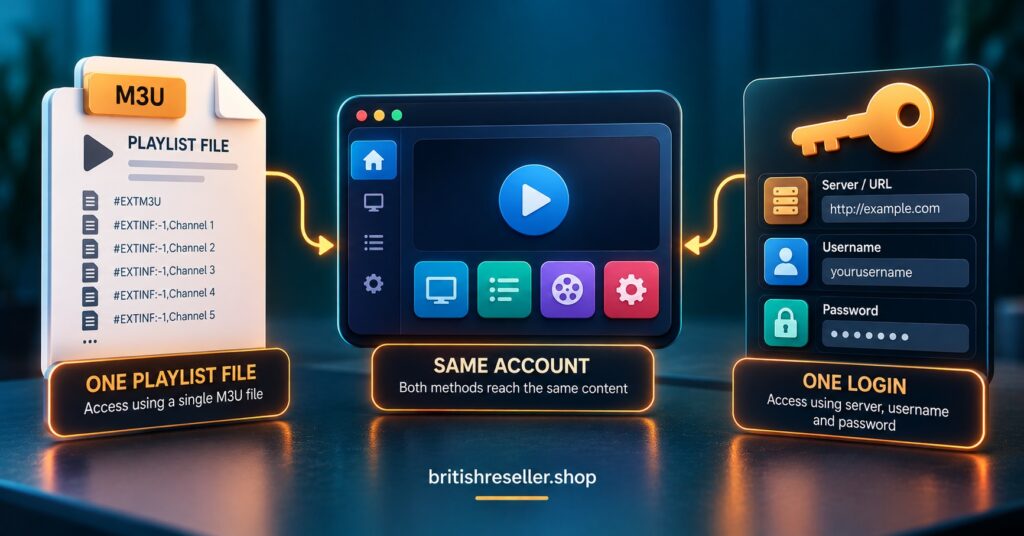
With an Xtream Codes login, the app does not receive a list. It receives the means to ask for one. Once it authenticates against the server, it can request live categories, then the channels inside a category, then on-demand titles and series, and it can fetch guide data for the channels on screen. That is why Xtream apps tend to feel organised straight after login, and why they can load one section at a time rather than everything at once.
An M3U link works the other way round. It points to a plain text playlist, and the app reads every entry in it. Each entry holds a stream address plus whatever labels the panel chose to include, such as group names, logos and a guide identifier. The app gets the whole list in one go, and anything it needs beyond the list, like a guide source, has to come from somewhere else.
The Xtream Codes name also deserves a caution. It is now a login convention that many different panel products imitate rather than one single piece of software, so behaviour is not identical from provider to provider. An app that works smoothly with one panel’s Xtream output can still behave oddly with another’s, which is a good reason to test on your own lines rather than trust a general rule.
M3U vs Xtream Codes IPTV for different customers and devices
The better format depends less on technical merit and more on who is setting it up and on what. A customer on a phone app who wants to be watching quickly is a very different case from someone using a desktop media player who is happy to paste a link.
| Option | Best suited to | Limitation |
|---|---|---|
| Xtream Codes login | Phone, tablet and Android-based box apps that read categories, guide and on-demand sections automatically | Needs an app that supports the format, and three fields to type without errors |
| M3U link | Desktop media players, apps without Xtream support, and quick fallback testing | Guide data may need a separate link, the whole list loads as one file, and the link itself contains the credentials |
| Portal address | Set-top boxes built around a portal login | Only works on devices designed for that method |
If you are unsure which to lead with, ask what device the customer watches on, then send the format that device’s app handles best. Our guide to which IPTV apps are worth recommending by device goes through that matching in more detail.
Why the programme guide is usually where the difference shows
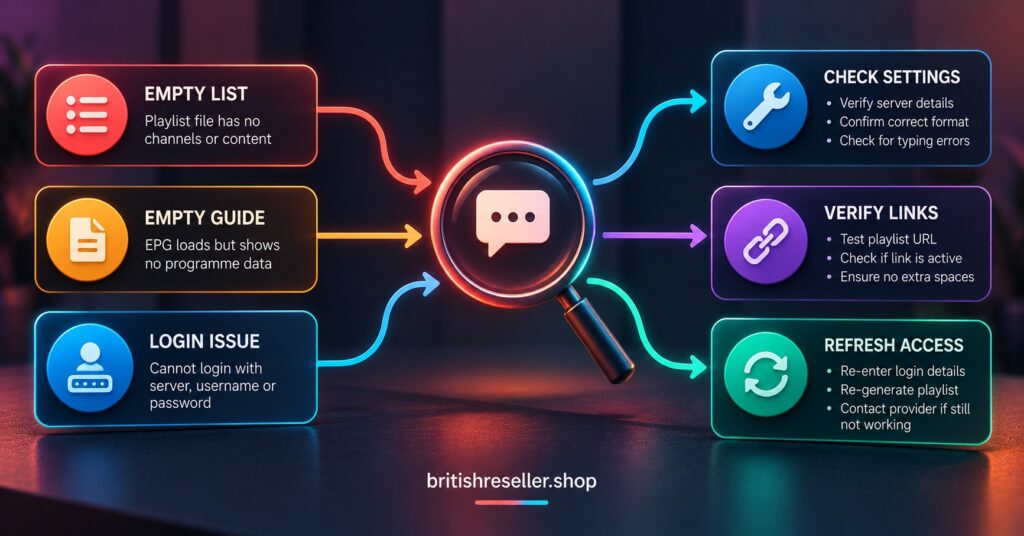
Ask a IPTV panel reseller which problem they field most from M3U customers and the answer is usually an empty guide. The channels play, but the programme information is blank. That happens because the playlist and the guide are separate things. The playlist carries a guide identifier for each channel, and the app needs a guide source to match those identifiers against. If the customer’s app was never given one, or the identifiers do not line up, the channel list looks fine and the grid stays empty.
Xtream Codes setups tend to avoid this because the app asks the server for guide data as part of the same login. It is not a guarantee, since some apps refresh guide data on their own schedule and a few handle it poorly, but there is less for the customer to configure. If your panel offers a separate guide link, include it whenever you send an M3U link, and explain in one line what it is for.
On-demand libraries follow a similar pattern. A large M3U playlist can be slow to load on modest devices because everything arrives at once. An Xtream app that fetches sections on demand often copes better with the same account. If a customer reports that the app hangs while loading, switching format is a reasonable first test before blaming the connection.
One link, one password: handling credentials sensibly
Many customers do not realise that an M3U link usually contains the username and password inside the address itself. It looks like a web link, so people treat it like one and paste it into group chats, shared notes or forum posts when asking for help. In effect they have posted their login.
An Xtream login at least looks like credentials, so people are more careful with it. Either way, the underlying account is the same, and anyone holding the details can use the line. It is worth one sentence in your welcome message telling customers to treat the link like a password and never post it publicly. This protects your customer and also protects your line allocation, because shared details tend to show up as unexpected connection limits later.
Understanding how the IPTV reseller panel generates customer lines helps here, since the panel is the only place where credentials can be changed or reissued.
Pro tip: when a customer asks for help, ask them to describe what they see rather than paste their link or screenshot their login screen. It keeps credentials out of chat histories.
What changes when a line is renewed, reset or expires
Renewing a line normally extends the same account, so the same details keep working and the customer does not need to set anything up again. Check how your own panel treats renewals before you promise this, because behaviour can differ between panel products.
A password change is different, and the format matters. Because an M3U link contains the password, the old link stops working and the customer needs the new one. An Xtream user needs to retype the password in the app. Either way, tell the customer exactly which step they need to repeat, otherwise you will receive a message saying the app has stopped working when it is simply holding old details.
An expired line produces the same symptom in both formats, which is an app that logs in but shows nothing or refuses to log in at all. Before troubleshooting anything technical, confirm the line is active in your dashboard. It takes ten seconds and rules out the most common cause. Reducing avoidable messages like these is a large part of keeping customers from drifting away, since people tend to leave after repeated small frustrations rather than one large failure.
Support messages that trace back to the format
The customer pasted the wrong thing
Xtream apps ask for three separate fields, and M3U apps ask for one link. When a customer enters an M3U link into a server address field, or the server address into a playlist field, the app either rejects it or loads nothing. Sending your setup instructions with the format named at the top, such as “Xtream Codes login details” or “M3U playlist link”, removes most of this confusion.
Stray spaces are the other classic. Copying from a messaging app often adds a trailing space to the username or password, and the app treats it as a wrong password. Ask the customer to retype rather than paste if the login keeps failing.
Channels load but the guide is empty
This is the M3U guide problem described earlier. Confirm the customer is on an M3U link, then send the guide link and explain where it goes. If they are on an Xtream login and still see no guide, the cause is more likely the app’s own refresh behaviour, and clearing the app’s cached data or trying a second app is the sensible next step.
The app logs in but behaves differently from last week
App updates sometimes change how an app reads a format or how it caches data. When a previously working setup changes after an update, test the same line in a second app and in the other format. If it works elsewhere, you know the line is fine and the issue sits with that app, and you can recommend an alternative from your tested list.
Keeping the legal side straight
Neither format makes content legal or illegal. IPTV is a delivery technology, and whether a service is lawful depends on the rights and permissions behind the content and on local requirements. A tidy login, a professional site or a working payment page does not prove that the content behind it is authorised, and you should not present any of those as proof to your customers. If you are unsure about the standing of what you resell, that is a question for a qualified solicitor in your own jurisdiction. Our free trial approach for IPTV resellers also touches on setting honest expectations with new customers from the first message.
Pro tip: keep two short setup notes, one for Xtream Codes and one for M3U, each naming the format in its first line. It stops customers following the wrong instructions.
Questions resellers ask about the two formats
Can I give a customer both formats for the same line?
Usually yes, since both normally point to the same account. Give the Xtream details as the main option and send the M3U link only if the first attempt fails or the app does not support Xtream.
Why does the channel list load from M3U but the guide stays empty?
The playlist and the guide are separate sources. The app needs a guide link in addition to the playlist, and the identifiers in the playlist must match the guide data.
Is an M3U link safe to share when asking for help?
No. It normally contains the username and password within the address, so sharing it shares the login. Describe the problem in words instead.
Should I stop offering M3U altogether?
Not necessarily. Some players and devices only accept a playlist link, and it is a useful way to test whether a problem belongs to the line or to the app. Keep it available as a secondary option.
Conclusion
For M3U vs Xtream Codes IPTV, the practical answer is to lead with Xtream Codes where the customer’s app supports it, because the guide and library load with less setup, and keep M3U ready for players that need a playlist or for testing a fault. Both formats depend on the same account, so an expired or reset line breaks them equally, and behaviour still varies between apps and panels, so test on your own lines. Your next step is simple: write two short setup notes, test them on the devices your customers use most, and send each customer the one that matches their app.
Format Choice Checklist for Resellers
- Ask which device and app the customer uses before sending anything
- Name the format at the top of every setup message
- Send the Xtream Codes details first where the app supports them
- Include a guide link whenever you send an M3U link
- Remind customers to treat any link as a password
- Check the line is active in your dashboard before troubleshooting
- Test a second app and the other format before blaming the line
- Tell customers exactly what to re-enter after a password change

[…] a failure that no amount of checking will fix. Our guide to player apps worth recommending to IPTV reseller customers covers how common player formats […]