
An IPTV Subscription Expiry Reminder is simply a way of knowing, in advance, when a customer’s or your own subscription runs out so the line can be renewed before it goes dark. Most disputes between resellers and customers over “the service just stopped” trace back to a missed expiry date rather than a technical fault, which is why a proper reminder system matters more than most people assume when they first set up a panel.
Why Expiry Tracking Gets Overlooked
Subscriptions rarely fail loudly. One day a line works, the next day it simply stops authenticating, and the customer assumes something has broken rather than realising the term simply ran out. For a subscriber this is an annoyance. For a reseller managing dozens or hundreds of lines, it becomes a support queue full of confused messages that could have been avoided with a message sent three or four days earlier.
The underlying problem is that IPTV subscriptions don’t behave like a rolling contract. There’s no automatic renewal charge unless the reseller has built one in, so the responsibility for remembering sits with whoever is watching the calendar. On a panel with a handful of customers that’s manageable by memory. Past thirty or forty active lines, memory stops being a reliable system.
How Subscribers Can Check Their Own Expiry Date
If you’re the end user rather than the reseller, the simplest starting point is your original order confirmation or the welcome message you received when the line was activated. Most sellers state a start date and a term length there, and basic arithmetic gets you the expiry date even if nobody sends a follow-up reminder.
Some IPTV player apps display remaining days directly inside the app, usually somewhere in an account or connection settings screen. This varies by player and isn’t guaranteed to be accurate if the underlying panel data hasn’t synced recently, so treat it as a helpful indicator rather than a definitive countdown. When in doubt, message your provider directly and ask for the exact expiry date attached to your line. A seller who can’t answer that question quickly is itself worth noting.
Pro tip: Save your activation date and term length somewhere outside the IPTV app itself, such as a phone note or calendar entry, so you’re never dependent on the provider remembering to tell you.
Building a Reminder Workflow as a Reseller
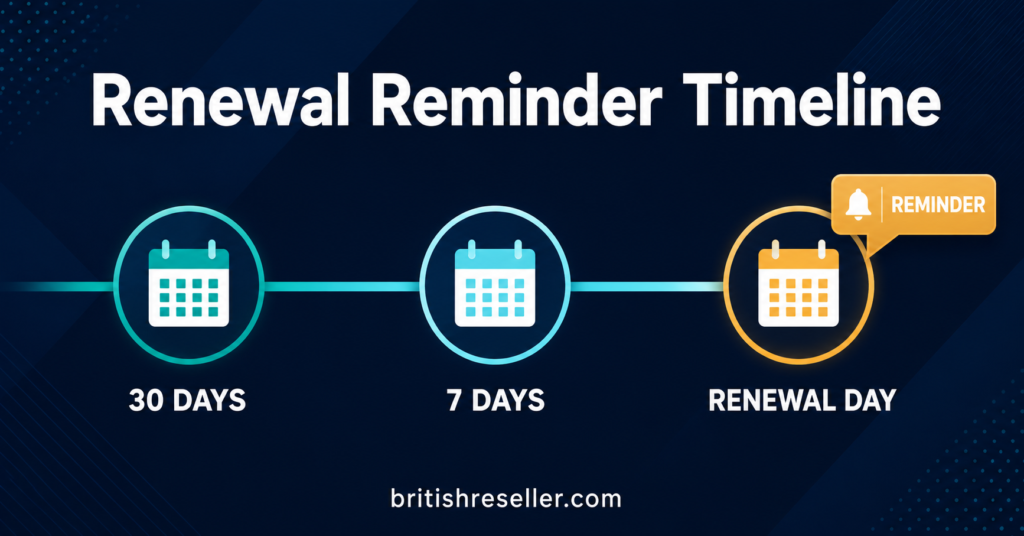
For resellers, the goal isn’t a single reminder but a short sequence, because one message sent at the wrong moment gets missed just as easily as no message at all. A workable pattern that many UK resellers settle on looks like a reminder roughly seven days before expiry, a shorter follow-up two to three days before, and a final note on the day itself if the line hasn’t been renewed.
The reseller dashboard is usually where this starts, since most panels show a renewal date per customer line that can be exported or checked manually. Some panels support automated expiry alerts sent to the reseller’s own account, which at least removes the need to check every line by hand each morning. Where that feature doesn’t exist, a simple spreadsheet with renewal dates sorted in order does the same job with more manual effort.
Whichever method is used, the reminder itself should go to the customer, not just alert the reseller internally. A customer who receives a short WhatsApp or SMS message two days before expiry is far more likely to renew on time than one who only finds out when the picture stops loading.
Comparing Reminder Methods
| Reminder method | Best suited to | Limitation |
|---|---|---|
| Manual spreadsheet tracking | Small customer bases, under 50 lines | Time-consuming and easy to forget on busy days |
| Panel-based automated alerts | Resellers with panels that support this feature | Depends entirely on the panel actually offering it |
| Third-party scheduling tools | Larger operations wanting consistent timing | Adds another system to manage and pay for |
Working Out Renewal Timing Against Credit Use
Reminder timing connects directly to credit planning. If a customer’s line uses one credit per month under the standard reseller model, sending a reminder too early risks the customer paying before they’re ready, while sending it too late risks a lapsed line and a frustrated support message. Most IPTV Panel resellers find that a reminder window of five to seven days gives customers enough time to arrange payment without the message feeling premature.
It also helps to know your own credit balance before reminders go out. There’s little point prompting twenty customers to renew in the same week if the reseller account doesn’t hold enough credits to fulfil those renewals immediately. Checking stock ahead of a reminder push avoids a second, more awkward message explaining a delay.
Common Mistakes That Undermine Reminders
A reminder sent without a clear action attached rarely works. Telling a customer “your subscription expires soon” without stating the exact date, the renewal price, or how to pay leaves them with a vague sense of urgency rather than something they can act on immediately.
Another frequent mistake is sending every reminder through the same channel a customer might already be ignoring, such as an email address they rarely check. Matching the reminder channel to where the customer actually responds, whether that’s WhatsApp, SMS or a messaging app, makes a real difference to renewal rates.
Reminders that go out too close to expiry, or only on the day itself, also tend to fail simply because customers need time to arrange payment, especially if they’re paying for several months at once rather than one.
Pro tip: Include the exact expiry date and the renewal price in every reminder message rather than a vague warning, so the customer can act without needing to ask a follow-up question first.
Keeping Reminders Consistent Across Sub-Resellers
If credits are distributed to sub-resellers, expiry reminders can become inconsistent unless there’s an agreed standard. One sub-reseller might message customers a week out, another might not message at all, and the inconsistency reflects on the overall brand even when the fault sits with an individual sub-account. Setting a shared minimum standard when allocating credits and permissions to sub-reseller accounts helps keep renewal handling predictable across the whole operation.
Pro tip: Agree a minimum reminder standard with sub-resellers in writing, covering timing and required message content, rather than leaving it to individual preference.
Turning Reminders Into a Retention Habit
Expiry reminders aren’t just an administrative task, they’re one of the few regular touchpoints a reseller has with a customer between the initial sale and the next renewal. Used well, that touchpoint can double as a chance to check whether the customer is having any technical issues, which feeds directly into the kind of ongoing relationship covered in a proper customer acquisition and retention plan. A customer who feels looked after is more likely to renew without needing to be chased at all.
Renewal Reminder Checklist
- Confirm the exact expiry date recorded against the customer line
- Check your own credit balance before sending renewal prompts
- Send the first reminder five to seven days before expiry
- Include the renewal price and payment method in the message
- Send a shorter follow-up two to three days before expiry
- Use the channel the customer actually responds on
- Agree a shared reminder standard with any sub-resellers
- Log whether the customer renewed, lapsed, or asked a question
Common Questions
How far in advance should an IPTV subscription expiry reminder be sent?
Most resellers find five to seven days before expiry works well for a first message, with a shorter follow-up two to three days out. This gives customers enough time to arrange payment without the reminder feeling premature.
Can I see my own IPTV expiry date without asking the seller?
Some player apps display remaining days in their account or settings screen, though this depends on the app and how recently it synced with the panel. Your original order confirmation is usually the most reliable source.
Do reminders need to be automated to be effective?
No. A manual spreadsheet works perfectly well for smaller customer bases. Automation becomes more useful once the number of active lines makes manual tracking time-consuming.
What should a good renewal reminder message include?
The exact expiry date, the renewal price, and a clear way to pay. A vague warning without these details tends to get ignored or misread.
Does reminder timing affect how many credits I need on hand?
Yes. Sending reminders to a large group of customers in the same week means you’ll need enough credits available to fulfil renewals promptly, so it helps to check stock before a reminder push goes out.
Should sub-resellers follow the same reminder schedule as the main account?
Ideally yes. Inconsistent reminder handling across sub-resellers can lead to uneven customer experience, so agreeing a shared minimum standard for timing and message content is worth doing early.
An IPTV Subscription Expiry Reminder only works if it reaches the right person, at the right time, with enough detail to act on. For subscribers, that means keeping a note of your own start date and term length rather than relying entirely on the provider. For IPTV Panel resellers, it means building a short sequence of reminders tied to your actual credit stock rather than sending a single vague message and hoping for the best. Getting this right doesn’t take complicated tools, just a consistent habit that catches lapsed lines before they turn into support tickets.