
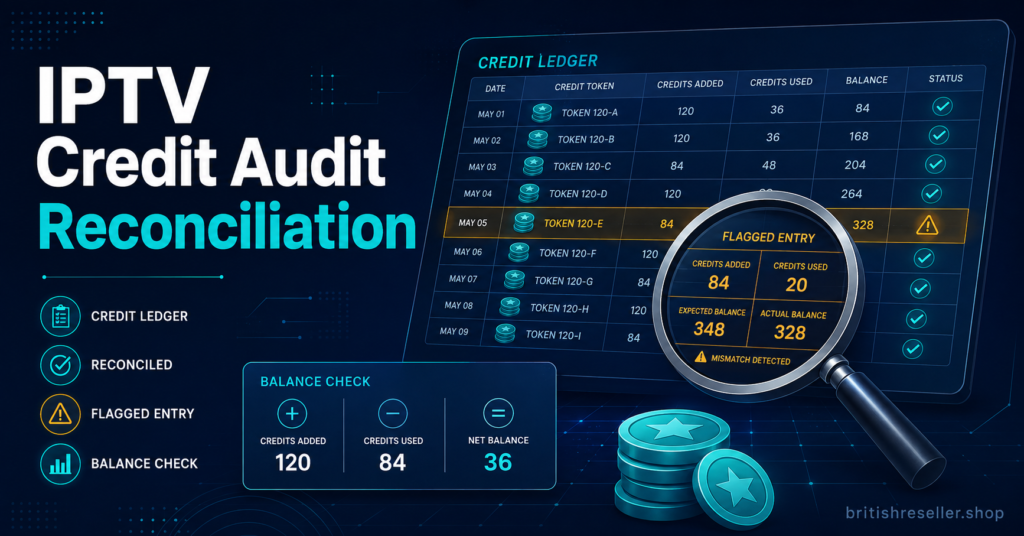
An IPTV Credit Audit is the process of checking exactly where your reseller credits went, matching what was consumed against renewals, sub-reseller allocations, trial activity and manual overrides so nothing quietly disappears. Most UK IPTV resellers only think to do this once a balance looks wrong. By then, the trail is usually cold and the exact point where credits leaked out is difficult to reconstruct.
Done properly, an audit is not a one-off panic exercise. It is a short, repeatable check that tells you whether your credit spend matches your actual customer base, or whether something between the supplier’s ledger and your own records needs attention.
Why Reseller Credits Go Missing Without Anyone Noticing
Credit loss rarely happens through one obvious mistake. It builds up through small, ordinary actions that nobody logs properly at the time. A trial gets extended manually. A support agent tops up a customer’s line to smooth over a complaint. A sub-reseller renews an account slightly early to avoid a lapse and the extra days never get reconciled against anything.
None of these actions are dishonest on their own. The problem is that they happen outside whatever process you use to track normal renewals, so the panel’s credit balance and your own understanding of “how many active customers do I have” slowly drift apart. By the time the drift is large enough to notice, working out which of a dozen small actions caused it is genuinely hard.
How to Run an IPTV Credit Audit Step by Step
An IPTV Credit Audit works best as a fixed sequence rather than an ad hoc scroll through the dashboard. The order matters, because each step narrows down where a discrepancy could actually be hiding.
Start by exporting the panel’s full transaction log for the period you’re checking, not just the current balance. A balance tells you where you ended up; the log tells you how you got there.
Next, match that log against your own customer list, line by line where possible. Every credit spent should correspond to a renewal, a new line, or a documented manual action. Anything left over after that matching pass is your discrepancy list.
Then check sub-reseller consumption separately from direct customer consumption. Sub-reseller accounts draw from the same credit pool but are usually managed with far less oversight, which makes them the most common source of unexplained drift.
Finally, cross-check trial activity. Trials that were never converted but somehow consumed a paid credit, or trials that were quietly extended past their agreed window, both show up here.
Discrepancy
Likely cause
Next action
Balance lower than expected with no matching renewals
Manual top-ups not logged, or a trial extended off-record
Review support and admin activity for the affected accounts
Sub-reseller pool draining faster than their customer count justifies
Sub-reseller creating unauthorised or duplicate lines
Request the sub-reseller’s own activity log and compare
Credits used but customer not listed anywhere
Test or demo line created and forgotten
Search the panel by creation date, not by customer name
Panel figures don’t match your own spreadsheet
Manual entry error, or a renewal recorded on the wrong date
Reconcile against the exported transaction log, not memory
Pro tip: Export the transaction log on the same day of the month each time. Comparing two logs pulled on different dates makes discrepancies look bigger or smaller than they actually are.
Reading the Numbers: What the Audit Should Reveal
A clean audit doesn’t need to show zero discrepancies. It needs to show that every discrepancy has an explanation attached to it. A handful of unexplained credits after a busy month is normal administrative noise. A growing pile of them month after month is a process problem, not a one-off.
Look specifically at the ratio between credits consumed and active paying customers. If that ratio has been creeping upward without a corresponding rise in customers, credits are being spent somewhere that isn’t generating revenue, whether that’s trials, testing, or an account you’ve stopped tracking closely.
Where Sub-Reseller Accounts Usually Leak Credits
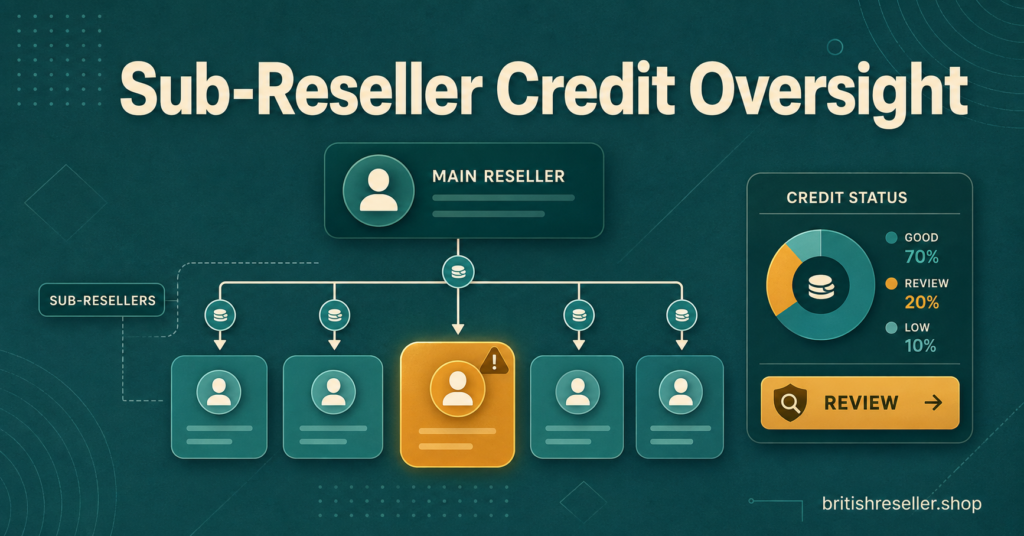
Sub-reseller accounts deserve their own line of scrutiny because they sit one step removed from your direct oversight. You’re trusting someone else’s day-to-day decisions with a shared credit pool, and unless permissions are set tightly, that trust is doing a lot of the work an audit should otherwise be checking.
Ask whether IPTV Panel sub-resellers can create lines without any approval step, and whether they can see their own consumption history or only their remaining balance. A sub-reseller who can’t see their own usage pattern has no way to flag their own errors before they become your problem. If you haven’t reviewed how sub-reseller permissions are structured, it’s worth working through a sub-reseller account setup guide alongside the audit itself.
Pro tip: Give each sub-reseller a monthly consumption summary rather than raw access to the full ledger. It surfaces anomalies to them directly instead of leaving the discovery entirely to your own audit.
Setting an Audit Rhythm That Actually Sticks
A single audit fixes a single problem. A schedule prevents the next one from growing unnoticed. Monthly is usually the right frequency for a small operation, tied to whatever date your credit packages typically renew. Larger operations with several sub-resellers may need it fortnightly, simply because there are more hands touching the credit pool.
Whoever runs the audit should not be the same person who has authority to issue manual top-ups without a second sign-off. That single separation catches a surprising number of errors on its own, because it removes the temptation to quietly fix a discrepancy rather than record it.
If your credit pricing itself feels unclear before you even get to auditing usage, the pricing and credit calculation guide covers how the ratio between credits and customer terms should work in the first place. And if the audit keeps turning up the same panel-level confusion, it may be worth a closer look at the panel comparison guide to see whether the dashboard itself is giving you the reporting you need.
Common Questions About Running an IPTV Credit Audit
How often should I run an IPTV credit audit?
Monthly is a reasonable default for most resellers, timed to match your credit renewal cycle. Increase the frequency if you manage multiple sub-reseller accounts.
What counts as a normal level of discrepancy?
There’s no fixed industry figure for this. The right benchmark is your own history: a small, explainable gap each month is normal administrative noise, while a rising trend over several months signals a process issue worth investigating.
Can the supplier’s credit records differ from my own?
Yes, particularly around timing. A renewal processed late at night can land on a different date in each system. Always reconcile against the exported log rather than assuming either record is automatically correct.
Should sub-resellers see their own usage history?
Giving them a summary of their own consumption tends to reduce disputes, because they can flag their own mistakes before an audit surfaces them independently.
What should I do if I find a discrepancy I genuinely can’t explain?
Document it with the date, the account involved and the amount, then check whether support staff or a IPTV Panel sub-reseller made a manual change around that time. If it remains unexplained after checking your own records, raise it with the panel provider directly rather than adjusting your figures to make it disappear.
An IPTV Credit Audit isn’t something that needs to be complicated to be useful. The value comes from doing it on a fixed schedule, working through the same sequence each time, and treating every unexplained credit as something to document rather than dismiss. Start with one full reconciliation this month, even if the process feels slow the first time through. It gets faster once you know what a normal month actually looks like, and that baseline is what makes the next audit worth running at all.
Reseller Credit Audit Checklist
- Export the full transaction log for the period, not just the current balance
- Match every credit spent against a renewal, new line, or documented manual action
- Review sub-reseller consumption separately from direct customer activity
- Check trial accounts for extensions or conversions that never got recorded
- Compare the credit-to-customer ratio against previous months
- Confirm manual top-ups were logged with a reason and a second sign-off
- Document any unexplained discrepancy with date, account and amount
- Set the next audit date before closing this one out